
Mr. Abdul
Director of Business & Client Relations · BitsAccurate
How to Build an MVP App That Actually Gets You Customers
An MVP — Minimum Viable Product — is the simplest version of your app that delivers your core value proposition to real users. It is not a prototype, not a demo, not a wireframe. It is a real, functional, deployable product that people can download from the App Store or Play Store and use. The purpose of an MVP is to validate your business idea with the least investment of time and money. Here is how to build one that actually works.
Start with a single sentence that describes what your app does for the user. Not what features it has — what problem it solves. "Helps delivery drivers find the fastest route across multiple stops" is a product statement. "Has Google Maps integration, route optimization algorithm, multi-stop planning, and offline caching" is a feature list. The product statement comes first. Every feature in your MVP must directly serve that statement. Everything else goes to version 2. When we built RouteOptim, the product statement was exactly that — help delivery drivers optimize their routes. The MVP included Google Maps integration, multi-stop route planning, and basic route optimization. Features like driver analytics, fleet management, and delivery scheduling were deliberately excluded from the first release.
Your MVP should have no more than 5 to 8 screens. Seriously. A login screen, a home screen, 2 to 3 core feature screens, a settings screen, and a profile screen. That is it. Every additional screen adds development time, testing time, and potential failure points. The Explore Jordan MVP started with a map screen, a home dashboard, a place details screen, a trip planner, and basic settings. The blog system, chat, advanced search filters, and business RBAC roles came in later milestones after we validated that users actually wanted the core product.
Choose a backend that matches your MVP scope. For most MVPs, Firebase is the right answer. Firebase Authentication handles user registration and login (email, Google, Apple sign-in) without writing any backend code. Firestore provides a real-time database. Firebase Cloud Messaging handles push notifications. Firebase Storage handles image uploads. Cloud Functions handle server-side logic. You can build and launch an MVP on Firebase in 2 to 4 weeks. If your app requires complex relational data, custom business logic, or integrations that Firebase does not support, a lightweight Laravel or Node.js API with a MySQL or PostgreSQL database is the next step. But do not build a full custom backend for an MVP unless your core product requires it.
Design matters — but not the way most founders think. Your MVP does not need custom illustrations, complex animations, or pixel-perfect design. It needs to be clean, intuitive, and fast. Use a proven design system — Material 3 for Flutter gives you beautiful, consistent UI components out of the box. Use standard navigation patterns (bottom tabs, drawers, stack navigation). Use readable typography and consistent spacing. Users will forgive a simple design if the app solves their problem. They will not forgive a beautiful app that is confusing to use.
Deployment is part of the MVP — not an afterthought. Your MVP is not done until it is live on the App Store and Play Store and real users can download it. Many startups build an MVP, show it on a demo device, and never actually deploy it. That defeats the entire purpose. At BitsAccurate, deployment is included in every project — developer account setup, store listing creation, screenshot design, TestFlight beta testing, and final production release. When your MVP is done, it is actually done — live, downloadable, and ready for users.
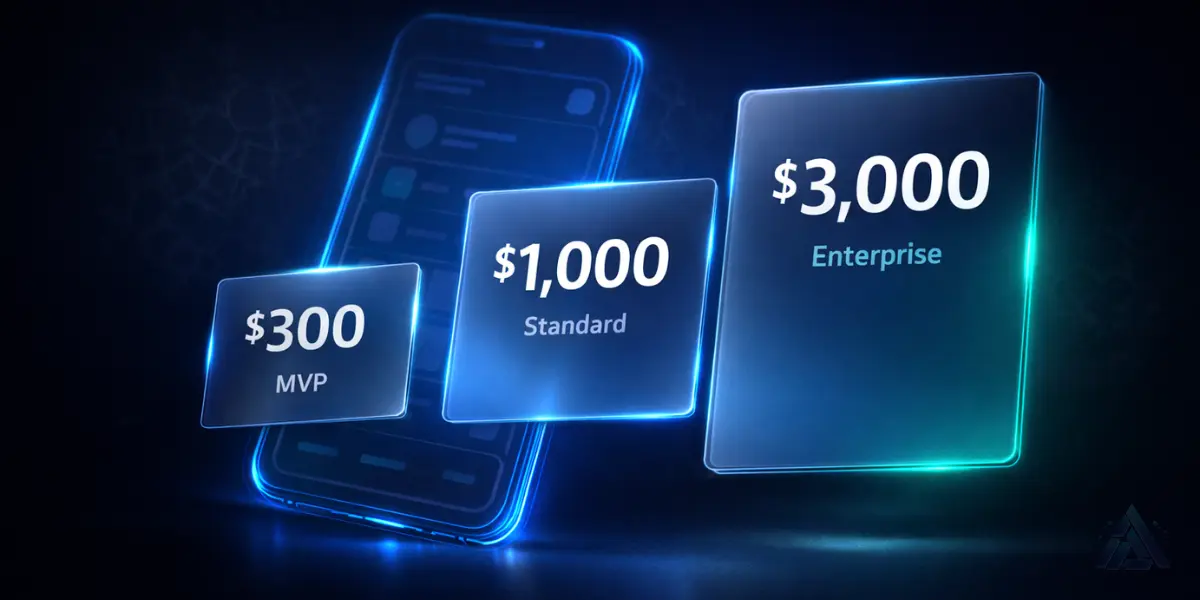
The cost of an MVP should be predictable and fixed. At BitsAccurate, our Starter tier begins at $300 for simple MVPs, and our Standard tier at $1,000 covers most MVPs with backend integration and store deployment. We provide a fixed quote after scoping — no hourly billing, no surprise invoices, no scope creep charges. You know exactly what you are paying and exactly what you are getting before development begins.
After launch, your job is to get the MVP into real users' hands and collect feedback. Install analytics (Firebase Analytics or Mixpanel) to track user behavior. Monitor crash reports through Crashlytics. Read app store reviews. Talk to users directly if possible. The data you collect in the first 2 to 4 weeks after launch will tell you what to build next — or whether to pivot.
The biggest MVP mistake I see founders make is treating the MVP as version 0.5 of the final product instead of a complete product in its own right. Your MVP should feel finished. It should not have placeholder screens, broken features, or "coming soon" sections. It should do one thing well, work reliably, and be deployable to both stores. A polished MVP with 5 screens that works perfectly is worth infinitely more than a half-finished app with 30 screens that crashes.
Tags
Have an app idea?
Tell us about your project and get a free quote within 24 hours.
Get Your Free Quote